Labor
Last updated: 2026-04-27
Roles:
- Compliance Specialist = modify access
- Contract Specialist = read only access
- All other construction roles including Contractors = no access
WisDOT maintains contract labor information on construction contracts. The Contract Administration Labor tab contains information related to the employee wage rates and on-the-job training programs on a given contract.
- Log into AASHTOWare Project.
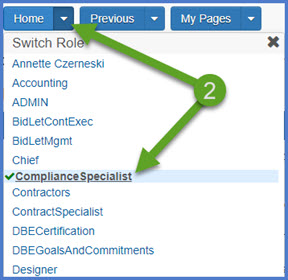
- Select the ComplianceSpecialist role (home button action arrow and select the role).
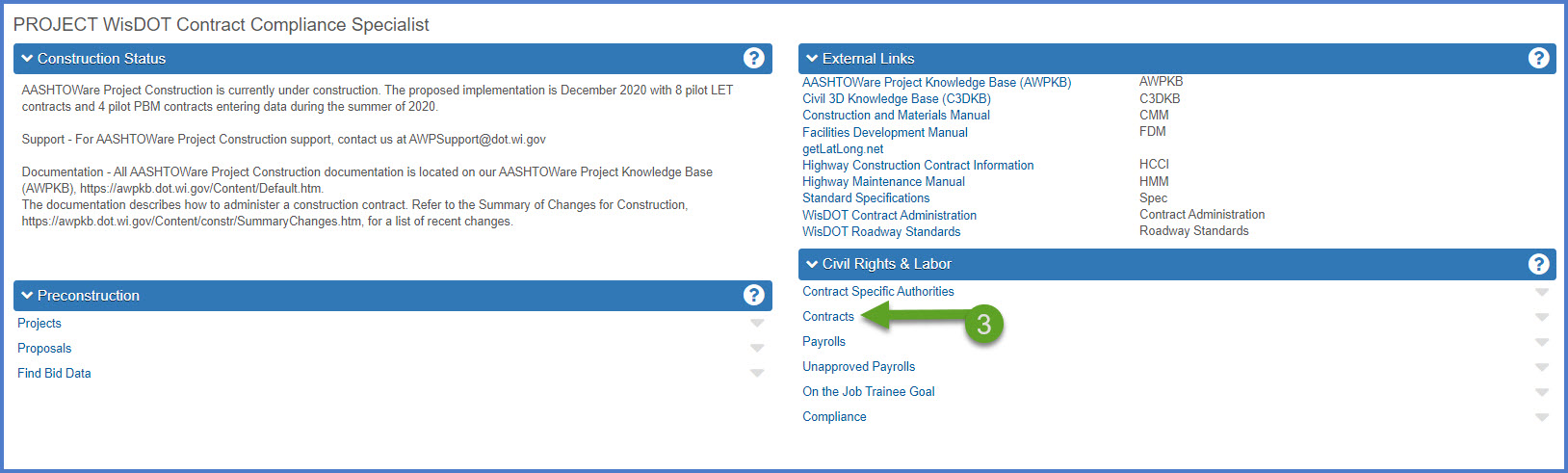
- From the dashboard, select the Contracts hyperlink under the CRL component.
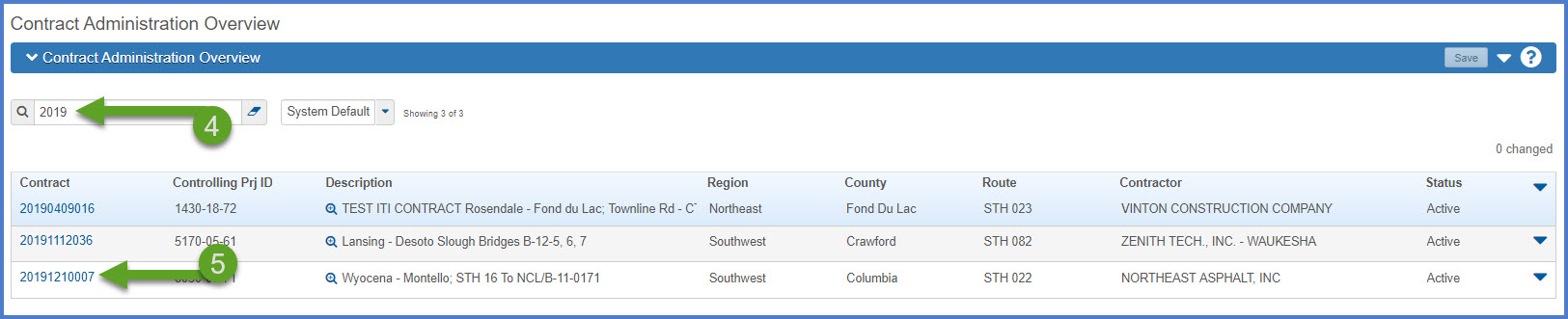
- Select the contract under Contract Administration Overview by searching for the Contract ID, controlling project ID, region, county or contractor in the search box. Tips:
Go to How to Search for the Contract ID by Project ID if only an associated project ID is known. - Click on the contract ID hyperlink for the contract you are working on to access the Contract Administration Summary component.
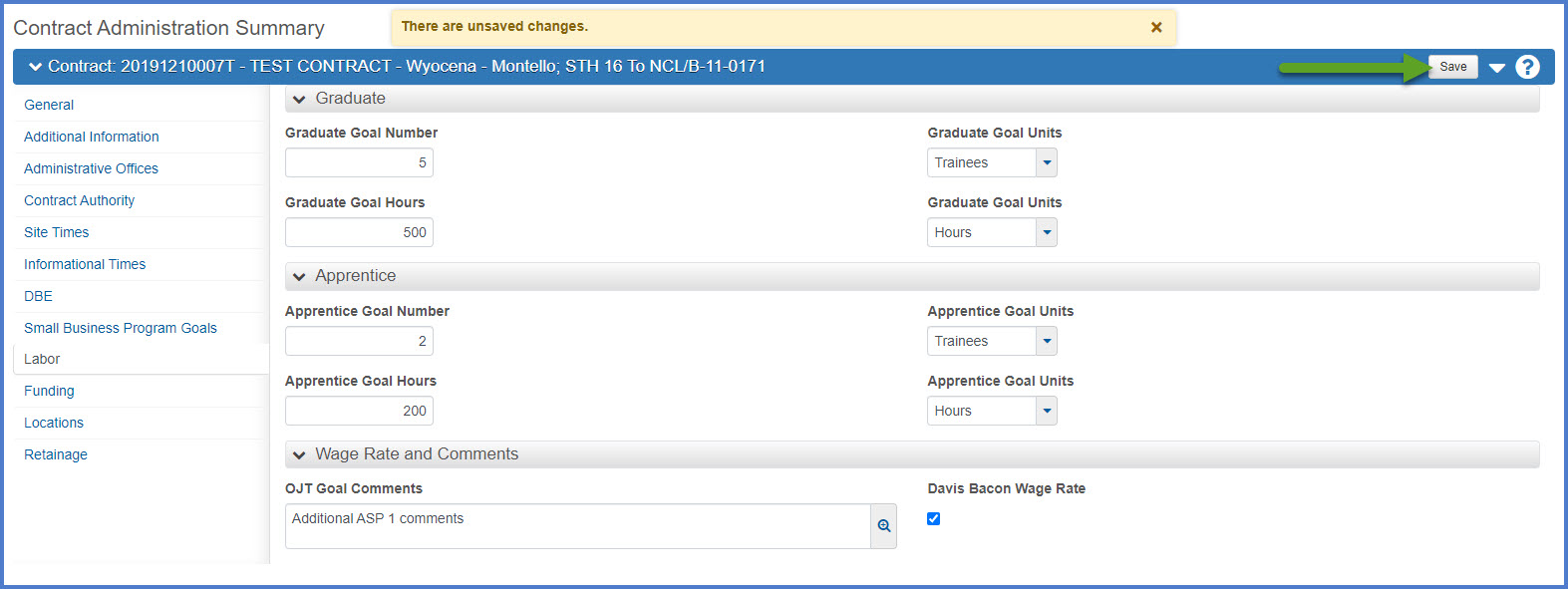
- Select the Labor tab. On this tab, the Compliance Specialist can record the following information in these three sections:
- Graduate information: Goal Numbers plus the corresponding Goal Units (always Trainees); Goal Hours plus the corresponding Goal Units (always Hours)
- Apprentice information: Goal Numbers plus the corresponding Goal Units (always Trainees); Goal Hours plus the corresponding Goal Units (always Hours)
- Davis Bacon Wage Rate should be checked if...
- Comments for ASP 1 are recorded in the OJT Goal Comments field.
- Click <Save>.