Setting the initial WisDOT workflow to the Project Definition phase
Last updated: 2026-04-27
Designers need to check and ensure the project is set to the correct WisDOT Workflow and Workflow Phase as soon as they begin working on a project in AASHTOWare Preconstruction. This is done to control project access and for reporting purposes.
Tip: Click on the thumbnail images below to expand and view the content.
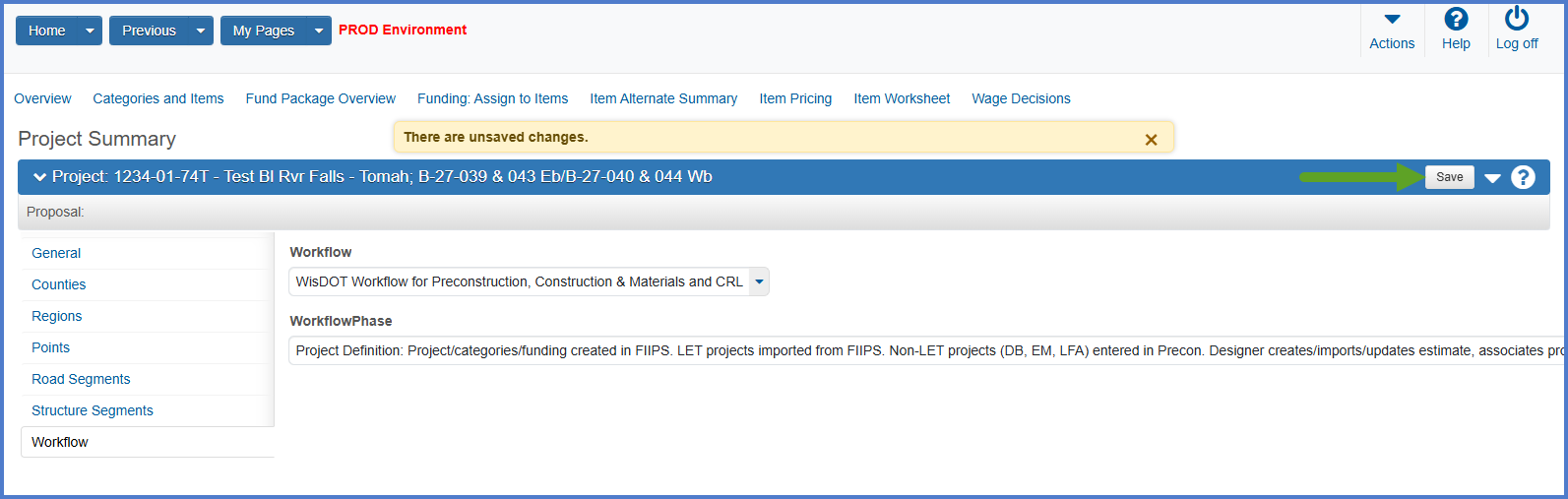
- From the Project Summary component, select the Workflow tab.
- From the Workflow drop down list select:
"WisDOT Workflow for Preconstruction, Construction & Materials and CRL" - From the Workflow Phase drop down list select:
"Project Definition: Project/categories/funding created in FIIPS. LET prjs imported from FIIPS. Non-LET prjs (LFA, PBM, EM) entered into Precon. Designer creates/imports/updates estimate, associates project, creates "C" proposal and sets to PSE phase." - Click <Save>.
Go to Adding or editing counties, the next step under Creating an estimate in Preconstruction.