Working Day Contracts - monitoring contract status
Last updated: 2026-02-04
There are multiple ways to monitor contract status on a Working Day contract. View each week's comments, view the status of time charged or print the Weekly Report of Time Charges.
 View each week's comments
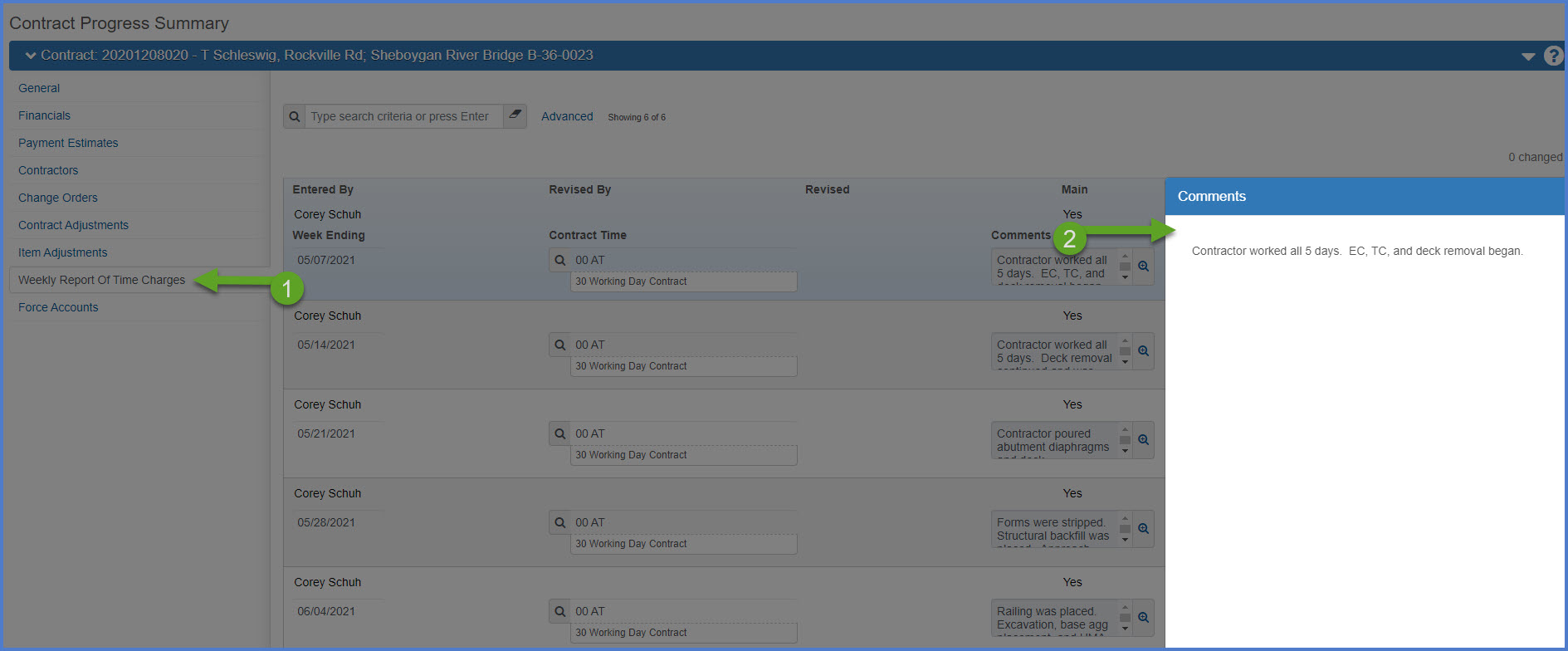
- Within the contract, from the Contract Progress Summary component, select the Weekly Report of Time Charges tab.
- A list of each week's weekly information for each Working Day site appears. The comments field can be expanded for more details by clicking the magnifying glass.
View the status of a working day contract (days charged to date)
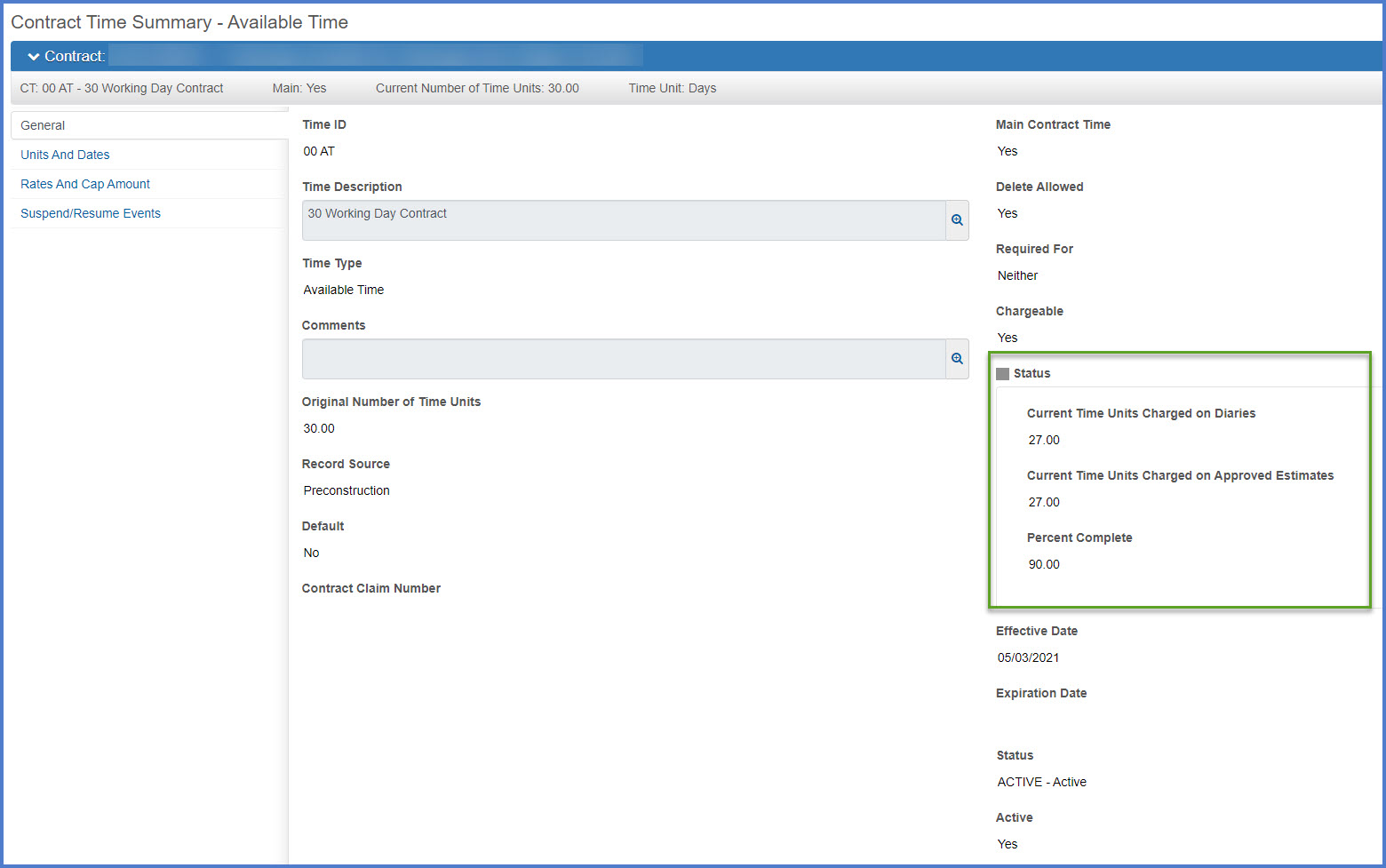
- Within the contract, from the Contract Administration Summary component, select the Site Times tab.
- Click on the Time ID hyperlink.
- Review the information in the Status box on the General tab.
Print the Weekly Report of Time Charges
- Within the contract, from the Contract Progress Summary component, select the Component Actions Menu.
- Under Reports, select the Weekly Report of Time Charges.
- Select the Week Ending Date (a Saturday as the report should be based on a Sunday - Saturday week time frame.
- Click <Execute>.
- The report will be generated and appear in a new browser tab. The report can be viewed, printed or saved in PDF format. It is normally 3 pages in length.
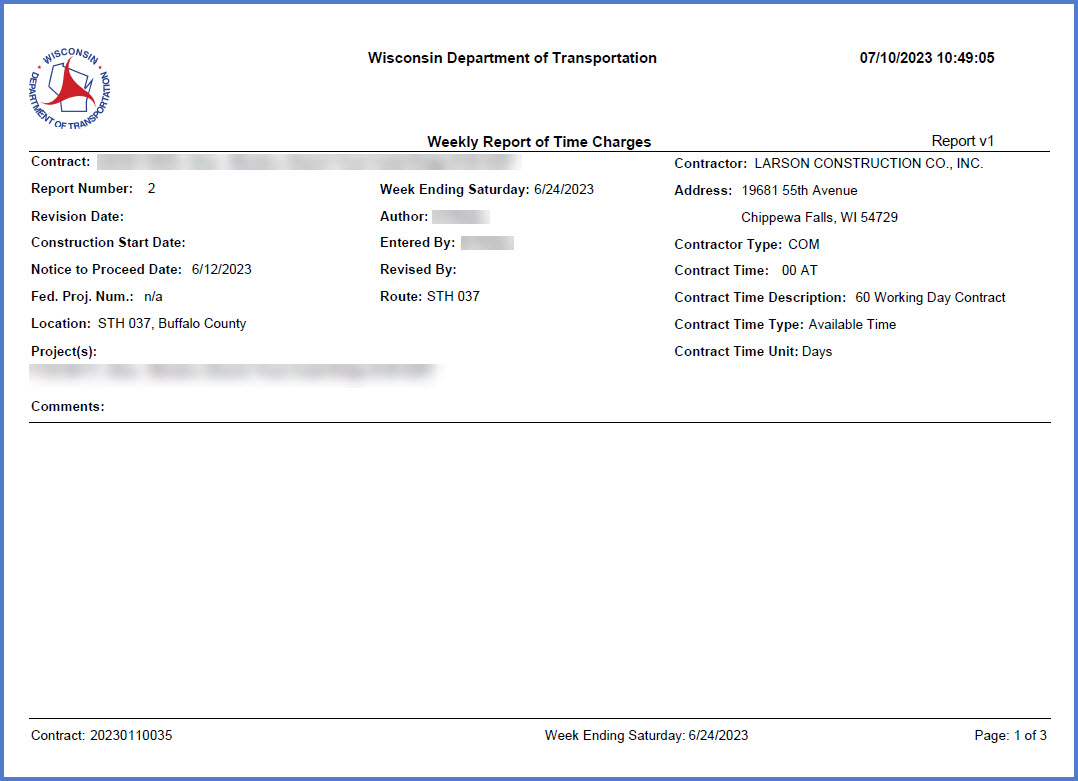
- Page 1 - Contract header and comments entered during the week.
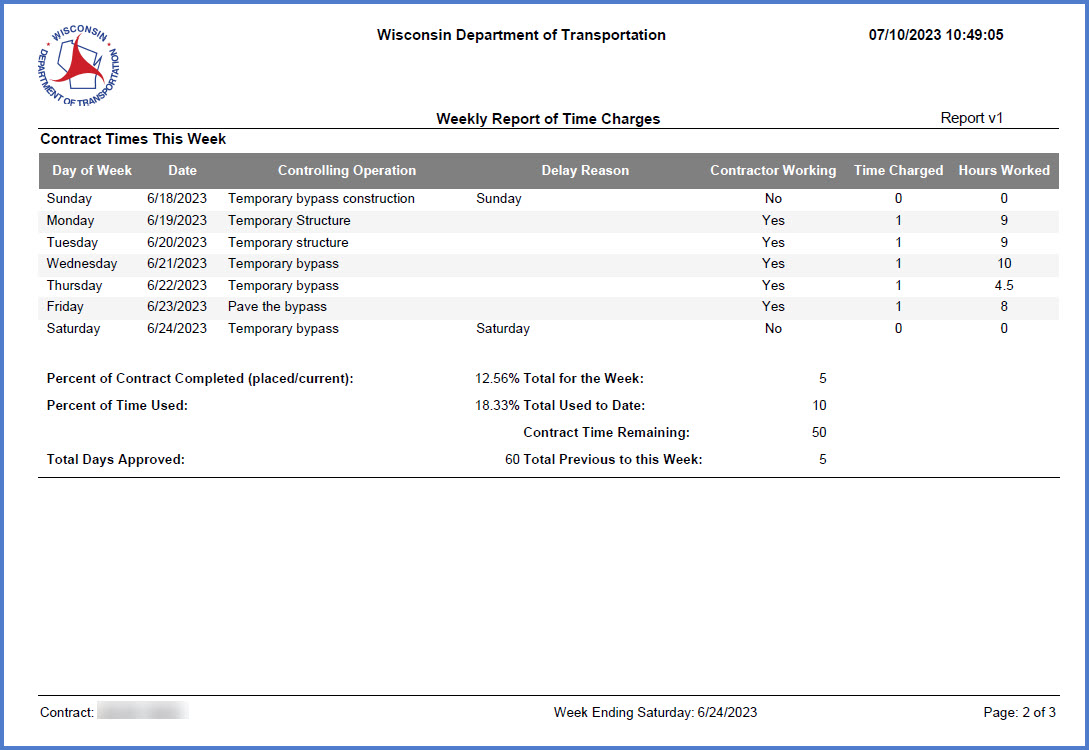
- Page 2 - Summary of each day explaining work performed, if the contractor worked, time charged, and hours worked plus an overview of the current status of the contract.
- Page 1 - Contract header and comments entered during the week.