e-Contracting data entry after award and prior to contract activation (BidLetContExec)
Last updated: 2026-02-04
Roles:
- BidLetContExec = modify access
- All other construction roles = no access prior to contract activation
As WisDOT prepares for e-Contracting, changes were made to the date entered in AASHTOWare Project by DTSD Bureau of Project Development Proposal Development Staff using the BidLetContExec role. With e-Contracting, WisDOT will provide prime contractors with the information they need to complete the bid and award process faster.
Tip: Click on the thumbnail images below to expand and view the content.
Data entry is broken down into three areas: Surety Company information, Contract Log dates, and Contract Execution date.
- After the letting and the proposal(s) are awarded, wait for the AASHTOWare Project administrators to transition the proposal(s) from Preconstruction to Construction.
- Log into AASHTOWare Project.
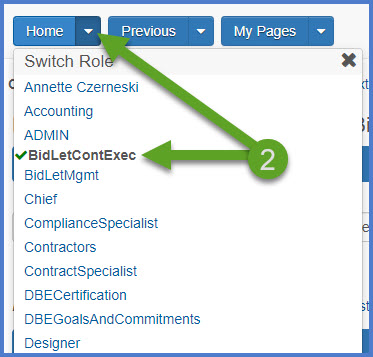
- Select the BidLetContExec role (home button action arrow and select the role).
- Search or filter for one or more contracts.
- To edit multiple contracts from a single letting, enter the first 4 to 8 digits of the contract IDs (YYYYMMDD) in the search box.
- To edit a specific contract, enter the entire contract ID (YYYYMMDD###) or Contract Description in the search box.
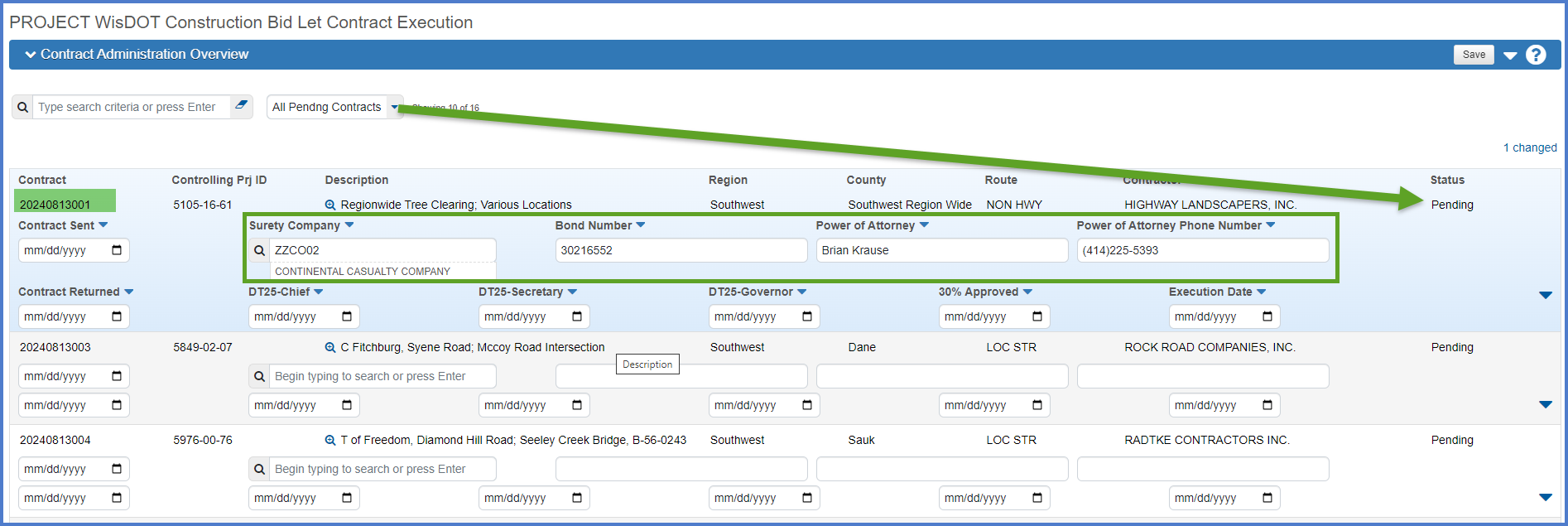
- Use the "All Pendng Contracts" filter to filter contracts that were recently transitioned.
 Surety Company information
- Search for or filter for the contract ID as noted above.
- Enter the values for the Surety Company, Bond Number, Power of Attorney and Power of Attorney phone number for each selected contract.
Info: If additional surety companies exist on the contract, they can be entered by the Contract Specialist on the Contract Remarks Agency View in the Completion Certificate Remarks field. This information is found on the Contract for Highway Work form, Part B.
- Click <Save>.
Contract Log dates
Repeat these steps as each milestone is met for the associated date fields.
- Search for or filter for the contract ID as noted above.
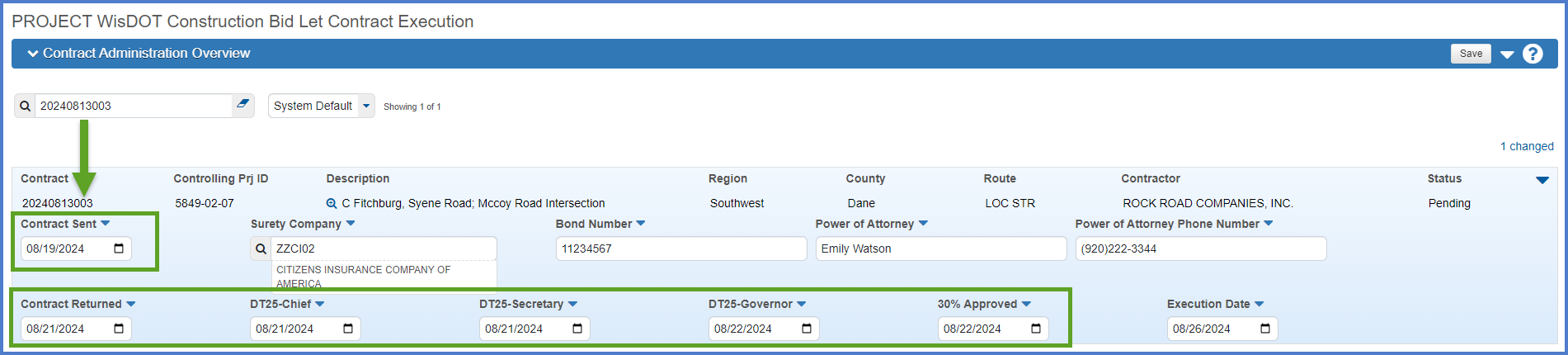
- Enter the following fields: Contract Sent, Contract Returned, DT25 signed by Chief, DT25 signed by the Department of Transportation Secretary, DT25 signed by the Governor, and the 30% Approved date.
- Click <Save> each time a date is entered.
Contract Execution date (required to activate the contract)
- Search for or filter for the contract ID as noted above.
- Enter the contract execution date.
- Click <Save>.
An email notification will be sent to the Contract Specialist, Project Engineer, and Project Manager notifying them the entry of the surety information and execution date is complete. The Contract Specialist can complete their data entry and activate the contract for project staff.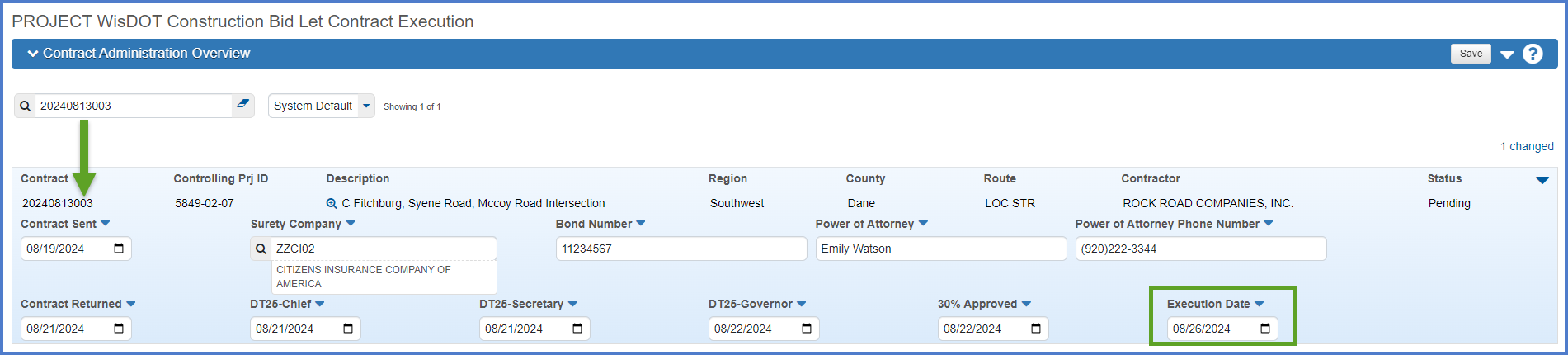
Contract Execution Date Entered email
System Event Contract Execution Date Entered: YYYYMMDD### - Contract Description, Project ID in the ?? region has been executed. Bureau of Project Development staff have entered the Execution Date of MM/DD/YYYY HH:MM:SS . The prime contractor will be receivingf the execution letter and contract in the mail.
The region Contract Specialist should review the contract to determine if it is ready to be activated for the Project Engineer.
The Bureau of Financial Management can enter the PeopleSoft PO number for the contract at this time following the instructions located at https://awpkb.dot.wi.gov/Content/constr/LETContract/ContractProgress/ProcessPymtEst.htm
Log into AASHTOWare Project to view this contract at URL
Please email the WisDOT AWP Support Team at AWPSupport@dot.wi.gov if you need assistance.